
Screenshots
About Resources Pack for Minecraft PE
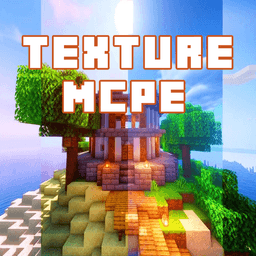
Transform your Minecraft PE experience with resource packs using this essential installation tool. Resources Pack for Minecraft PE eliminates the tedious process of manually searching the web, downloading files, and transferring packs to your device — simply browse, tap Install, and play.
Discover an extensive library of professionally designed resource packs ranging from medieval-themed builds to modern aesthetics. Choose from beloved community favorites like FletcherCraft, OzoCraft, JohnSmith Legacy, and Soartex Fanver, each with detailed descriptions and preview images to help you find the perfect pack for your playstyle. Whether you're seeking realistic shaders or completely reimagined textures, your next favorite pack is just a few taps away.
One-click installation makes customizing your game effortless. The app provides seamless automatic installation for Minecraft PE version 0.15.0 and above, including versions 0.15.x, 0.16.x, and 1.0.x, with full official support — no third-party launchers required. Simply enjoy the smooth, stable original Minecraft PE experience with your chosen resource packs applied instantly. For earlier versions like 0.14.x and below, you can still use compatible packs by importing through BlockLauncher or MasterMCPE.
Stay ahead of the curve with new resource packs added to the collection weekly. The development team is continuously expanding the catalog and actively welcomes your suggestions in the review section, ensuring the app evolves to meet your customization needs.
Resources Pack for Minecraft PE is your gateway to personalizing your game without technical hassle. Download today and unlock unlimited visual possibilities for your Minecraft PE adventures.
⚠️ NOTE: This application requires internet connectivity to load and install resource packs. Please be mindful of your data usage.
Disclaimer: This is an unofficial application for Minecraft Pocket Edition and is not affiliated with Mojang AB. Minecraft is a trademark of Mojang AB, and all related assets are the property of Mojang AB or their respective owners.
Pros & Cons
Pros
- One-click installation eliminates manual downloading and file transfers
- Curated library includes popular packs with preview images and descriptions
- Weekly updates bring new resource packs to the collection
- Supports Minecraft PE versions 0.15.0 and above without third-party launchers
Cons
- Requires internet connection to browse and install resource packs
- Limited to Minecraft PE only; does not work with Java Edition
- Earlier versions like 0.14.x require workarounds via external launchers
- Unofficial app with no affiliation to Mojang; future compatibility not guaranteed
Related Apps

AlienGUIse
Desktop themes and manager for Windows — transform your system with 5 futuristic designs.

SharpKeys
Remap keyboard keys to launch apps, media controls, and custom commands on Windows.

RocketDock
Desktop launcher for Windows — quick access dock with customizable icons and positioning.

Custom Resolution Utility (CRU)
Display resolution utility: Create custom resolutions for your monitor with precise refresh rate control.

Lagguy Wallpapers
Lagguy
4K & HD wallpapers for Android — minimal, abstract, nature, AMOLED designs with lifetime access

Lock Screen OS
Apps Genz
Customize your lock screen with widgets, photos, and notifications. Replace Android's default lock screen.
Latest Articles
Best AI computer-use agent apps for desktop in 2026 (we tested 7)
Jul 10, 2026
Best apps for a fresh Linux install in 2026 (7 picks the first hour)
Jul 10, 2026
Best apps for AI coding agent sandboxing on desktop in 2026 (we tested 7)
Jul 10, 2026

Best apps for detecting AI-generated images on Android in 2026 (we tested 7)
Jul 10, 2026
Best apps for detecting AI-generated images on desktop in 2026 (we tested 8)
Jul 10, 2026